Web Application Development
Portals, customer accounts and dashboards with real roles, real data and live updates.
A web application is not a website. It processes data every day, holds state, distinguishes users by role, and has to stay responsive when hundreds of people are inside it at the same time. CodeOrigins has been building exactly this kind of system since 2022: browser-based, nothing to install, reachable from any device.
We design the architecture first, the data model, the permission system and the boundaries of every integration, so that the application does not become a maintenance problem in its second year. The code is handed to you with documentation and deployment instructions.
Portals and customer accounts
We build customer and partner portals where people log in to see their own data, download documents, submit requests or make payments. Learning platforms with courses, progress tracking and certificates. Booking systems with schedules and availability logic. Insurance and medical accounts with protected document storage. The underlying principle is always the same: a user sees only what concerns them, and can resolve their own question without phoning your office and occupying someone for fifteen minutes.
Roles, permissions and security
In a real system the director, the manager, the accountant and the client all see different data. We build a flexible roles and permissions layer where adding a new role is configuration rather than a rewrite. On security we follow OWASP guidance: protection against SQL injection, XSS and CSRF, two-factor authentication, session management, encryption of sensitive fields and complete action logging. Login attempts are rate limited, and destructive operations require a second confirmation before they execute.
Dashboards and real-time features
A management dashboard should answer one question: what state is the business in right now. We build dashboards with charts, filters, period-over-period comparison and export to Excel or PDF. Where the dataset is large we move calculations into background queues and cache the results so the page opens instantly instead of hanging on a report query. Where it matters we add real-time updates over WebSocket: chat, notifications, simultaneous editing, live order boards, all without the user refreshing anything.
Architecture and scaling
The backend is written in Laravel, the frontend in Vue.js or Nuxt, with a documented REST API between them that your future mobile app can also consume. Heavy operations such as reports, imports and email sending run in queues so the interface never freezes. We deploy with Docker on AWS, DigitalOcean or Hetzner, with automated backups and monitoring in place from day one. CI/CD means a new version reaches production in minutes, without anyone copying files onto a server by hand.
How we work
Architecture design
We define the data model, the permission system and integration boundaries before the first line of code is written.
UX and interface
We design the screens for every role and assemble an interactive prototype in Figma for sign-off.
Iterative development
Two-week cycles, each ending with a working module on a staging environment you can use yourself.
Load testing and launch
We test performance under load, configure monitoring and backups, then deploy to production.
Technology
- Laravel
- Vue.js
- Nuxt
- PostgreSQL
- Redis
- WebSocket
- Docker
- AWS
Selected work
Our guarantees
How we work and what you get
Transparent terms from the first call to launch: you see and check the finished product before the final payment.
-
You pay after you check
We hand over a fully working project. You test it, make sure everything meets your requirements, and only then pay. You choose how: the full amount after acceptance, in stages, or a partial prepayment with the rest after acceptance.
-
Technologies written into the contract
The programming languages, frameworks and versions for your website or app are stated in the contract before work starts, so you know exactly what you are getting.
-
Launched and ready to use
We install the project on your server, configure it to run securely and fast, connect your domain, and publish mobile apps on the App Store and Google Play.
-
Technical documentation
At handover you receive a document listing the languages, versions and technical specifications of your project, so you can verify the quality of the work.
-
Video guide to your admin panel
A video walkthrough of your admin panel in the language you prefer, so your team can easily manage the website or the app.
-
Quality and free support after launch
We follow international development standards, guarantee the quality and speed of the result, and support every project free of charge after launch, for the period set in the contract.
Frequently Asked Questions
What is the difference between a website and a web application?
A website mostly presents content. A web application works with data: user accounts, roles, business logic, calculations and integrations. That difference drives a different architecture, longer timelines and considerably stricter security requirements.
How long does development take?
A customer account area takes 6–10 weeks. A mid-complexity portal or dashboard system takes 10–16 weeks. Large multi-role platforms run four to six months. We work in iterations, so you see the first working modules far earlier than the final date.
Will the application handle load?
We design for growth: Redis caching, background queues for heavy operations and proper database indexing. Docker-based deployment lets you add server capacity without changing the code once your user numbers increase, so scaling is an infrastructure decision rather than a rewrite.
Can you add real-time features?
Yes. Over WebSocket we implement instant notifications, chat, simultaneous editing and live-updating boards. Users see a change at the moment it happens, with no page refresh, which matters for dispatch, support and any dashboard people watch continuously.
How do you protect data?
We follow OWASP guidance: protection against SQL injection, XSS and CSRF, enforced HTTPS, two-factor authentication, encryption of sensitive fields and full action logging. Daily automated backups are configured with a restore procedure that we actually test rather than assume.
Will it work on mobile?
Yes. Every interface is responsive, and where useful we deliver the application as a PWA that can be added to the home screen and receive push notifications. Since the backend exposes a REST API, a native mobile app can be added later without rebuilding anything.
Choosing technology
Case studies
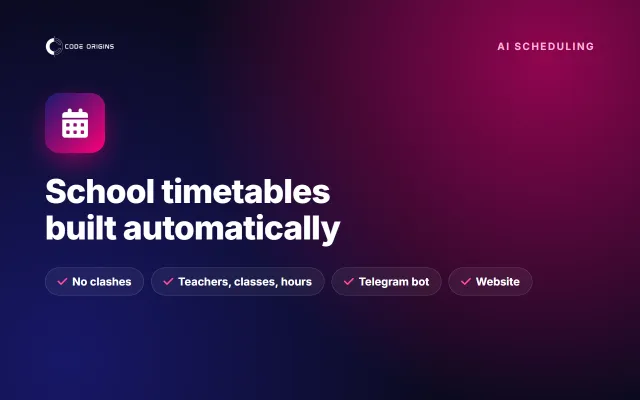
- A timetable that builds itself: an AI system for a school
- MedMeet: a digital platform and QR entry for a healthcare expo
- MedMeet: a mobile app for registration, QR entry and the healthcare Expo program
- 3D Printing: a 3D model marketplace with instant download
- RoofCraft: a 3D roof configurator and price calculator
- Hrazdan Medical Center: a medical information platform
- Population.am: a news and health platform
- CargoFlow: automating freight order processing
This service by region
Other services
- Website Development
- Mobile App Development
- iOS App Development
- Android App Development
- React Native Development
- Flutter Development
- E-commerce Development
- Custom Software Development
- UI/UX Design
- SaaS Development
- Backend Development
- API Integrations
- Maintenance and Support
- Website Programmer
- Mobile App Programmer
- Freelance Developer
- Hire Software Developers
- Software Development Company
- IT Outsourcing & Outstaffing
- SEO Services
- AI & Business Automation
- AI Chatbot Development
- AI Integration for Websites & Apps
- Business Process Automation
- Outsourcing to Armenia
Request a quote
codeorigins.info@gmail.com | +374 94 14 90 60
Request a quote